ASOblick Agency. App Store intelligence for agencies, studios and anyone building for other people.
Run every client's App Store work from one window, as a team
Every client's apps and competitors in one window. Up to ten people working live, across all your clients. A PDF of what changed, under your own logo.
$199.99 a month or $1,599 a year. Everything in Max, for as many apps as you look after.
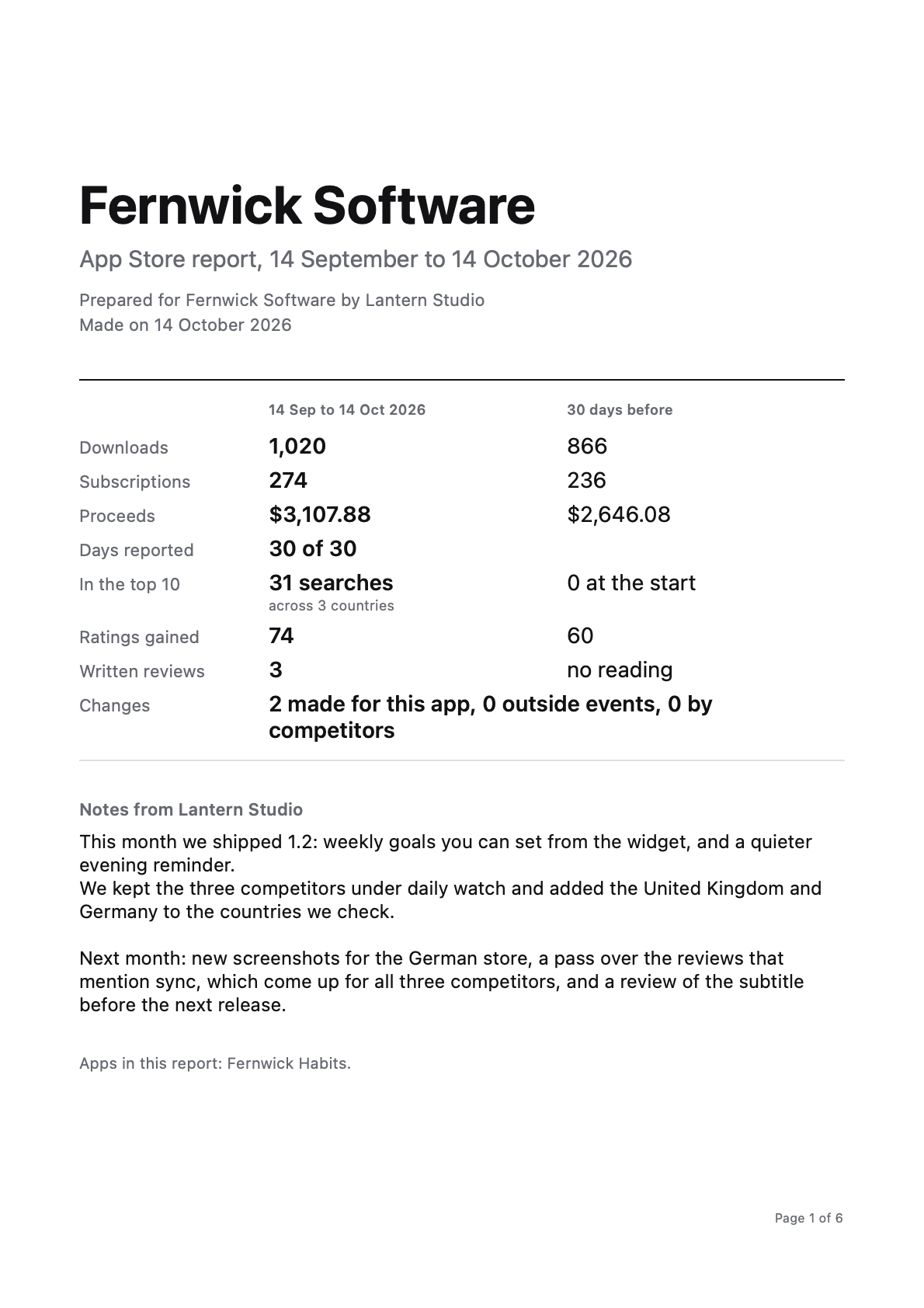
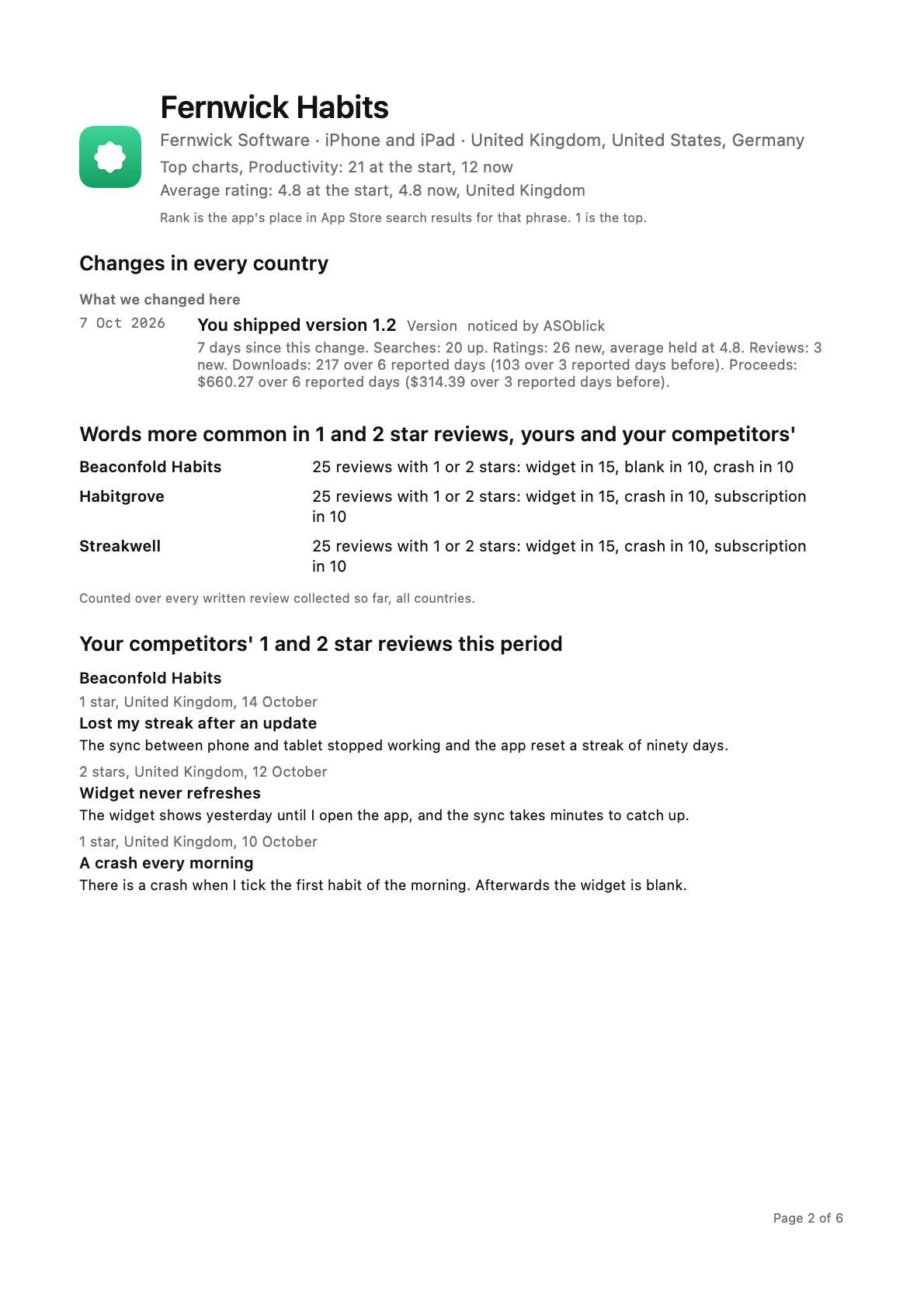
The report in these pictures is for a demo app, Fernwick Habits. Its competitors Beaconfold Habits, Habitgrove and Streakwell, the client Fernwick Software and the agency Lantern Studio are invented as well. The numbers are what ASOblick prints for them.
Competitive intelligence
Watch every client's competitors, every day
The work a client cannot do in App Store Connect. Every competitor's new written reviews arrive daily, from every country you track. Type a word. ASOblick lists every review that mentions it. One table lists the words more common in their 1 and 2 star reviews.
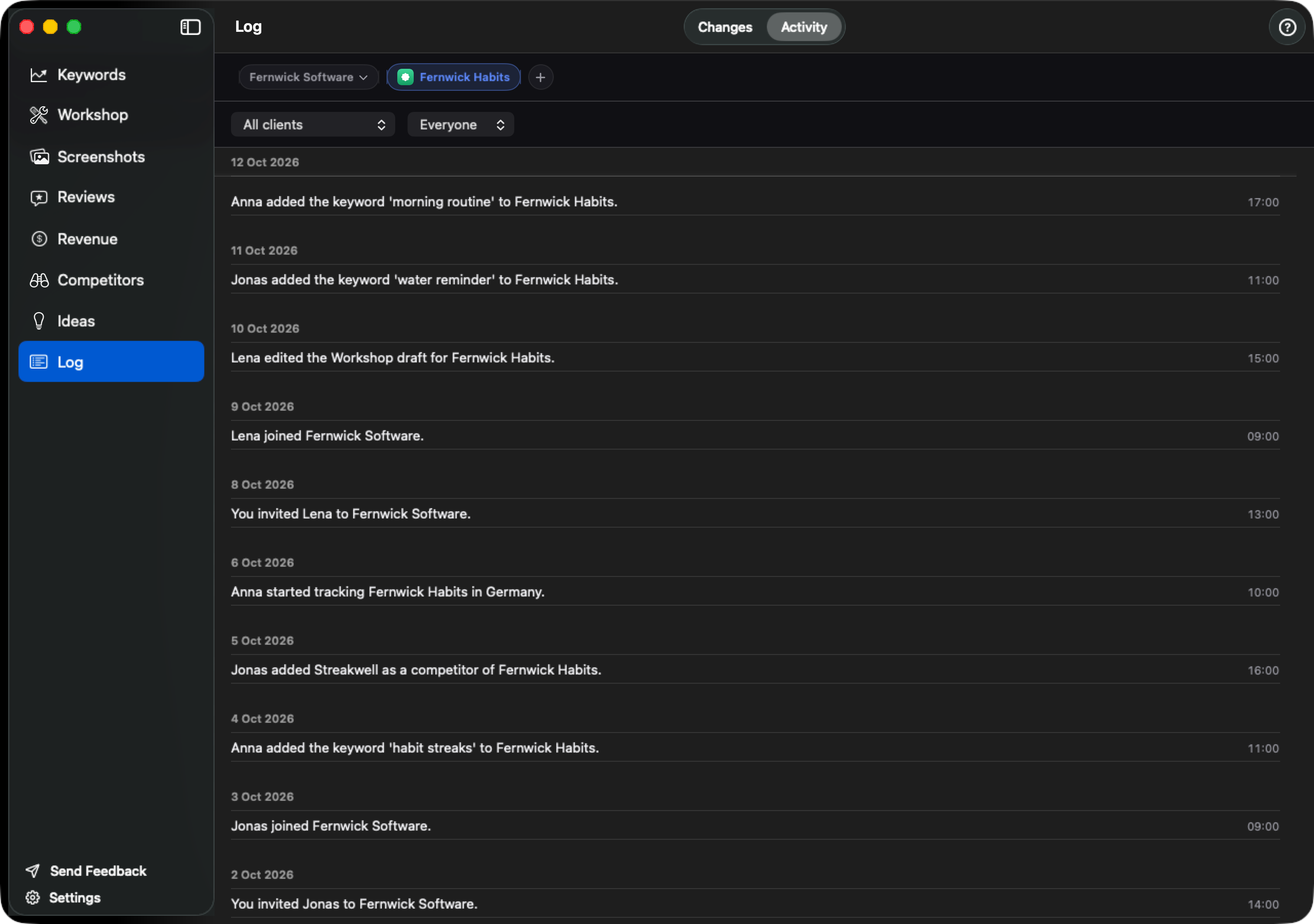
Every version, price, screenshot set and description a competitor ships goes into the client's Log by itself, beside the searches where that competitor is ahead. No limit on apps, every country you choose, and every change measured until the next one.
Work on one client at a time
Put each app you track into the client it belongs to. Pick a client at the head of the app strip and every module follows. Your own apps keep a place of their own, outside every client.
Show a client what changed, and what followed
A PDF for one app or one whole client, over 7, 30 or 90 days, or last month, under your name, your logo and your own footer line. Attach it to the month's email. Nothing in it needs ASOblick to read. How to show a client what you did for their app covers the record behind it.
Facts your client can check
- The month against the one before. Downloads, proceeds, ratings gained and written reviews, each beside the same number for the period before.
- Your notes, in your words, under your name and logo.
- What changed, in three groups: what you did for the app, what happened from outside, what competitors did, with the ranks, ratings and downloads that followed each one.
- Every country where something happened: the searches in the top 10, the climbs and drops, the new 1 and 2 star reviews first, and that country's sales.
- Their competitors: what each one changed, where it is ahead, and its 1 and 2 star reviews, as written.
- Nothing in it is a prediction, and nothing says one change caused another. The line “Prepared with ASOblick” is off unless you switch it on.
Ten people, one price
$199.99 a month, however many of the ten are in.
The people you invite use the free app and meet no cap and no paywall inside your clients. Agency customers get a reply within one working day; mail sent from the app is marked with your plan, so it goes to the front of the queue.
Agency
$199.99 a month
Or $1,599 a year, four months free. Prices in US dollars; your country's App Store shows its own.
Coming to the Mac App Store.
- Everything in Max. No limit on apps, the Competitors module, every country you choose.
- Clients at the head of the app strip, one at a time.
- Client reports under your name and logo, for one app or one client, over 7, 30 or 90 days, or last month.
- Live sharing with up to 10 people across your clients, in your own iCloud.
- Workspace files to hand a whole setup to another Mac.
- Priority support, a reply within one working day.
Before you buy
- Do my colleagues need a subscription?
- No. One subscription, bought through the Mac App Store on your Apple account. The people you invite use the free app, and inside your clients they meet no cap and no paywall. Up to 10 invited people across the Team and single-client invitations.
- Who owns the data?
- The Apple account that bought Agency. It lives in that account's iCloud. To move it to a new owner, export a workspace file and import it on their Mac.
- We started monthly. Can we switch to yearly?
- Yes, any time, on Apple's subscription page. The yearly starts when your current month ends, and everything you have is kept. Yearly to monthly works the same way.
- Can we hand a workspace to a new Mac?
- Yes. A workspace file carries your apps, their keywords, their rank history, your clients and your Log entries. A colleague imports it on their own Mac, and importing it again adds nothing twice.
- Can a client look without editing?
- Everyone you invite can read and change what is in the client; there is no view-only invitation. A client who wants to look needs an invitation and the app, or the PDF.
- What happens if we stop paying?
- Nothing is deleted. Sharing pauses: nothing new travels and nothing is removed from anybody's Mac. Your clients stay and keep sorting your apps. Removing people, stopping a share and deleting your own client never need a plan.
- Can we pause the subscription?
- Cancel and come back with nothing deleted; Apple's subscriptions run to the end of the period you paid for. There is no pause.
- Do we get an invoice?
- Apple is the seller. The receipt is Apple's, in your Apple account, and ASOblick issues no invoice of its own. Refunds are Apple's to give, through the same account.
Something else before you buy? Write to [email protected] and it is answered within one working day.